
Select photos inside DaVinci Resolve Studio.
Import photos into a DaVinci Resolve Studio 21 project and tell Sollestro what to keep. It uses AI on your computer to mark photos as keep, maybe or reject. It can gather the keepers in a Media Pool folder. You check and change the marks in Resolve's Photo page.
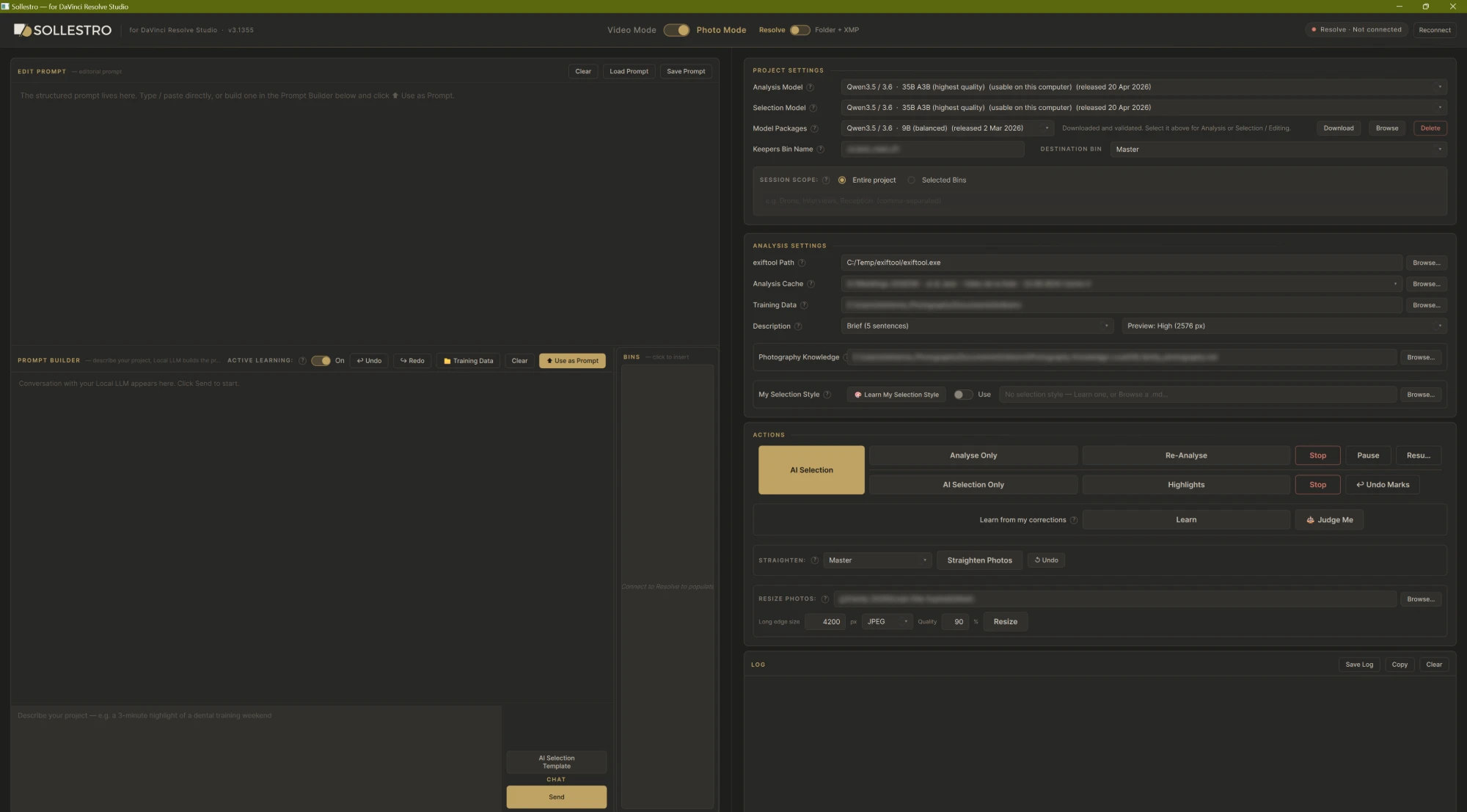
How photo selection in Resolve works
Import the photographs into a Resolve Studio 21 project, choose the bins Sollestro should consider and load the Photography Knowledge file closest to the shoot.
Write the brief: who and what must be covered, the kind of delivery you need, and what should be set aside.
Run AI Selection. Sollestro analyses uncached photographs with a Local model and marks keepers, maybes and rejects.
Review the marks in Resolve. Keepers and highlights are gathered in a Keepers bin; adjust the flags and finish the gallery yourself.
Stuck on a step? Ask the Sollestro assistant, the chat button at the bottom right of every page.
What Sollestro changes in your Resolve project
Sollestro marks Media Pool items and moves keeper items into a Keepers bin. It does not delete original photographs from disk. Undo Marks can reverse recent AI mark changes where later hand edits have not replaced them; check bin placement separately.
Straighten Photos: Choose a Photo page album, or a bin, and click Straighten Photos. In DaVinci Resolve 21.1.2 or later, Sollestro levels each photo right on the Photo page, with a slight zoom that hides the corners; a bin first becomes an album named after it, in shooting order. Photos it judges already level, and photos you have already turned or cropped, are left as they are. Undo puts every photo back; your photo files are never changed. Export from the Photo page as usual. On earlier versions of Resolve, a bin is laid onto one new timeline instead; to export each photo at its own size from there, use Deliver > Individual clips and tick Render at source resolution.
Questions about Straighten Photos or exporting? Ask the Sollestro assistant.
No video tutorials yet: ask the assistant for a step-by-step guide. Pick one: make your first selection in Resolve · straighten photos · pick highlights · undo the marks · teach it from your corrections.
What Sollestro adds to Resolve's Photo page
Resolve 21's Photo page includes IntelliSearch, ratings, tags and albums. These help you find and organise photographs. Sollestro's added job is to propose a selection against your specific brief and write those marks into the project. You still decide the final set. AI Selection works on the photos in Media Pool bins; Straighten Photos works on Photo page albums in Resolve 21.1.2 or later. Blackmagic's Resolve 21 Photo page guide
Questions
Does Resolve have AI for photographs already?
Yes. IntelliSearch can help find images by their contents. Sollestro adds an automated, brief-led first selection; the two workflows can be used together.
Does Sollestro move my original files?
No in the Resolve route. It moves keeper items inside the Media Pool. Original files stay at their disk locations.
Can I work outside Resolve instead?
Yes. Folder + XMP mode writes labels and ratings from an ordinary folder without opening Resolve.
Another question? Ask the Sollestro assistant. It knows every button and setting in Sollestro 3.1 Beta.